GLBAI Solutions builds agentic AI tools and services. A dashboard reports what happened. An agent reads the same record and answers, proposes or acts on it, inside bounds a person sets.
Each block states what it does, what a person sets, and what it will not do.
AI Reporting
Data & Analytics
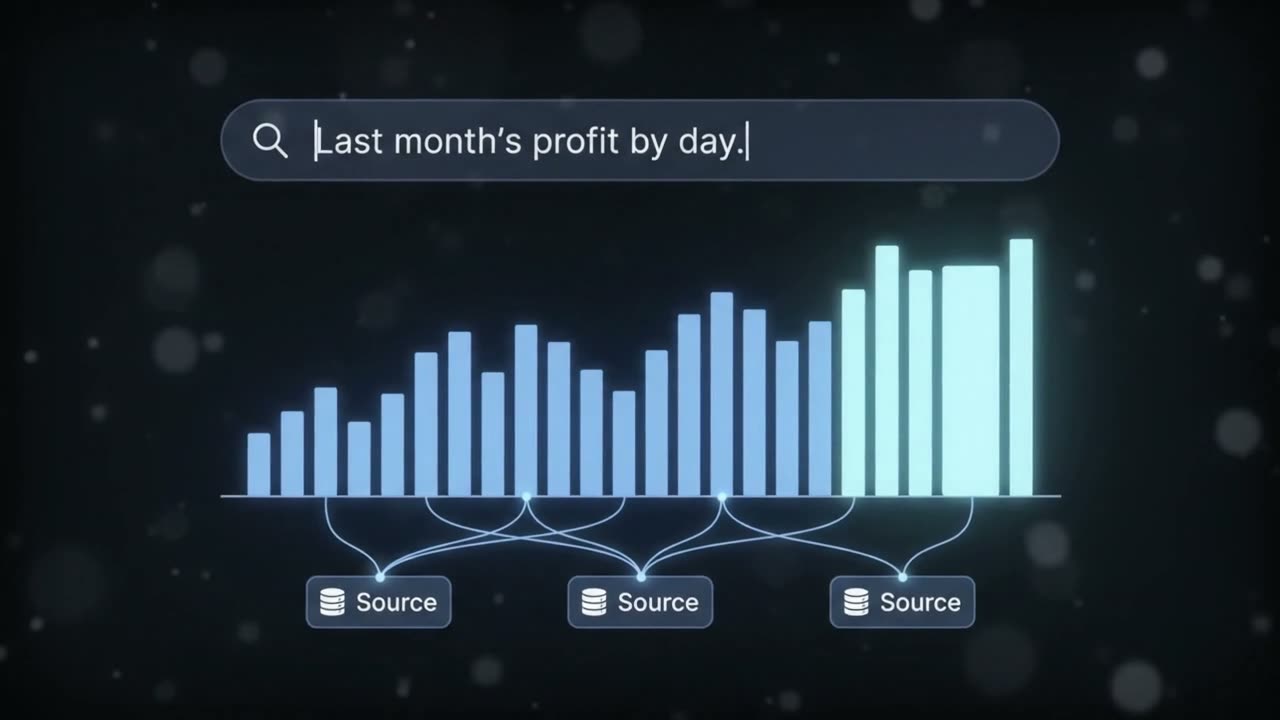
Ask for a number in plain words. It works out the answer and shows where each figure came from.
Ask any question about your business in plain language, and it writes the report for you. Type "Top five shops" and the answer comes back as a chart you can read at a glance — switchable between a bar, a pie or a plain table — with the source of every figure underneath it. It reads your data and never changes it, and you agree what a word like revenue means before it answers.
Goes in
Top five shops.
Comes back
Five shops by sales, and where each figure came from.
How it connects
ReadsYour business data — read only, never changed
AI ReportingWorks inWherever your team asks questions of the business, in plain words
ReturnsA bar, pie or table, with the source of every figure
Limit. It will not make up a meaning nobody agreed. If it cannot answer, it says so.
It reads past sales, seasons and offers, then gives a likely range per shop.
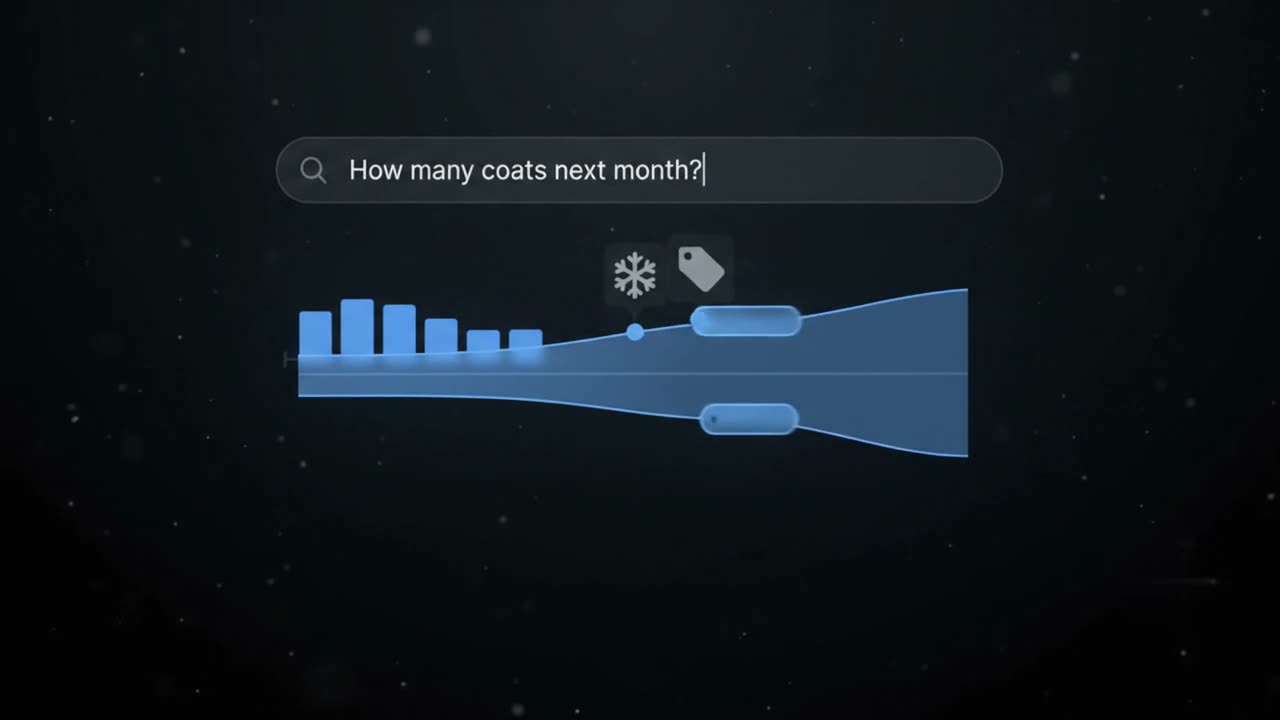
Ask it how much to order, and it answers product by product and shop by shop. Ask "How many coats next month?" and it reads what has sold before along with the season and any offer you have planned, then answers with a range rather than a single number — how wide the range is tells you how sure it is. You pick the products and how far ahead to look.
Goes in
How many coats next month?
Comes back
A likely range per shop, beside last year's sales.
How it connects
ReadsPast sales, the season and the offers you have planned
Demand ForecastingWorks inYour ordering, product by product and shop by shop
ReturnsA likely range per shop, beside last year's sales
Limit. It will not quote an accuracy score. That number depends on how loosely you count.
It weighs how fast stock sells against the wait to restock, then writes the order.
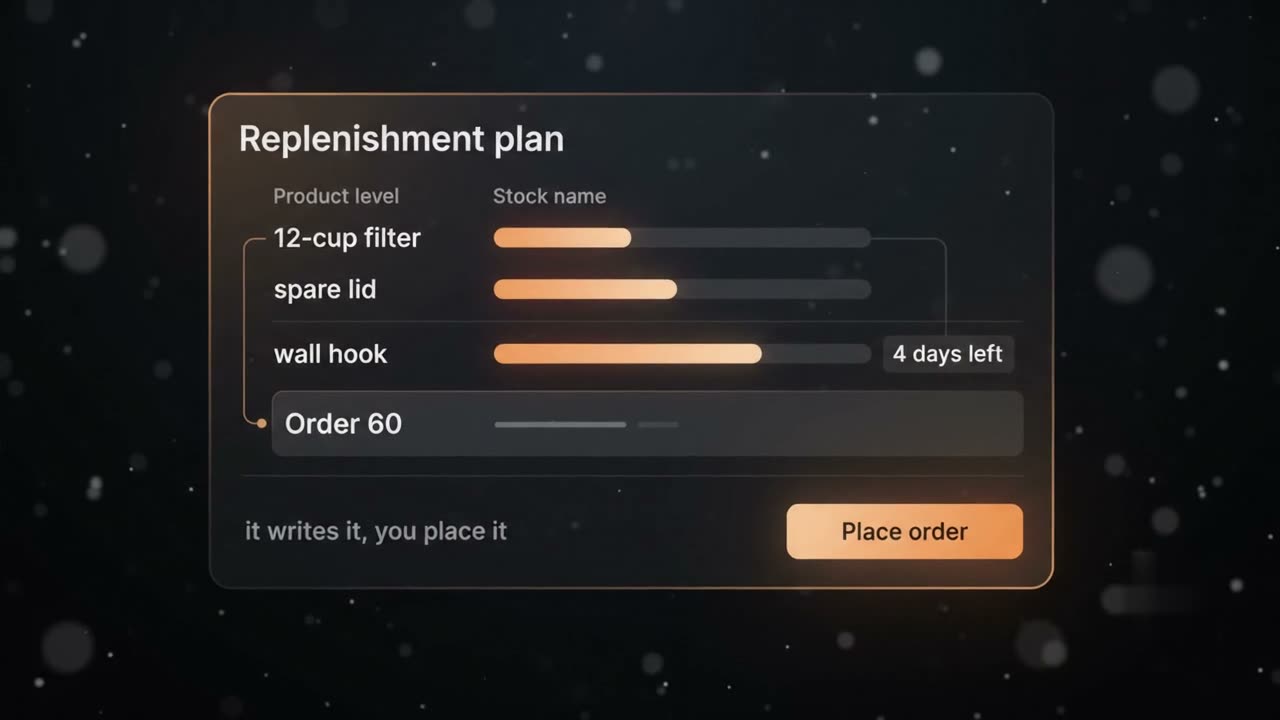
It watches how fast each product sells and how long restocking takes, then tells you when to order again and how much. Ask "What should I reorder?" and it writes the order for you — sixty of them, ready to go. You are the one who places it. You set how often running out is acceptable, and it is only ever as good as your last stock count.
Goes in
What should I reorder?
Comes back
A written order for sixty. You place it.
How it connects
ReadsHow fast each product sells, how long restocking takes, your last stock count
Most of what you sell, nobody ever sees. It puts the likeliest products where you choose.
It puts the right products in front of each visitor, in the places on your page that you choose. You get six kinds of recommendation: Similar Items shows more of what is like the product on screen; Discover more options and Explore More Items each add another set to look through; Customers also viewed shows what other visitors looked at as well; Related products shows what is related to it; and Picks For You is built for one visitor instead of the same row for everyone.
Goes in
What goes with a tent?
Comes back
Pegs, a mat, a lamp. Three things you already stock.
Comes in 6 kinds
Similar Items
The same kind of thing.
Discover more options
A few other options worth a look.
Customers also viewed
What other shoppers looked at as well.
Explore More Items
More to look through.
Picks For You
Built for one shopper, not for everyone.
Related products
Other products the shop ties to this one.
How it connects
ReadsWhat you sell, and what visitors have already looked at
Recommendation EngineWorks inThe places on your pages that you choose
ReturnsSix kinds of product row, from Similar Items to Picks For You
Limit. It can only show what you already sell. A new product and a first-time visitor start with nothing to go on.
It notices which customers buy the same way, then names and counts each group.
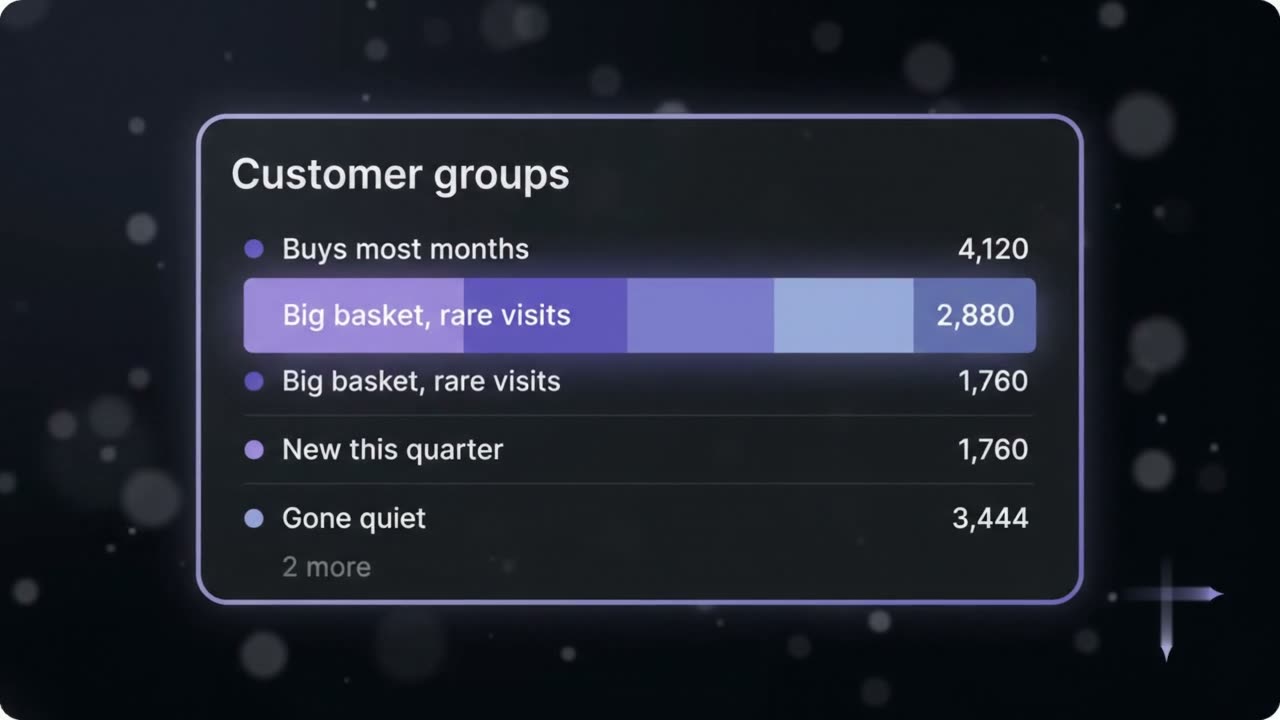
It sorts your customers into groups you can actually use — who buys often, who spends the most, who has quietly stopped coming back. Ask it to group them and you get six groups, each one named and counted, and it will point out that the biggest group has gone quiet. You decide how many groups are useful and what you do with them. It can tell you that a group has gone quiet. It cannot tell you why.
Goes in
Group my customers.
Comes back
Six groups, named and counted. The biggest has gone quiet.
How it connects
ReadsHow your customers buy — how often, how much, and who has stopped
Customer SegmentationWorks inYour customers’ purchase history
ReturnsNamed, counted groups — and which one has gone quiet
Limit. It shows you the groups. It cannot tell you why people fall into them.
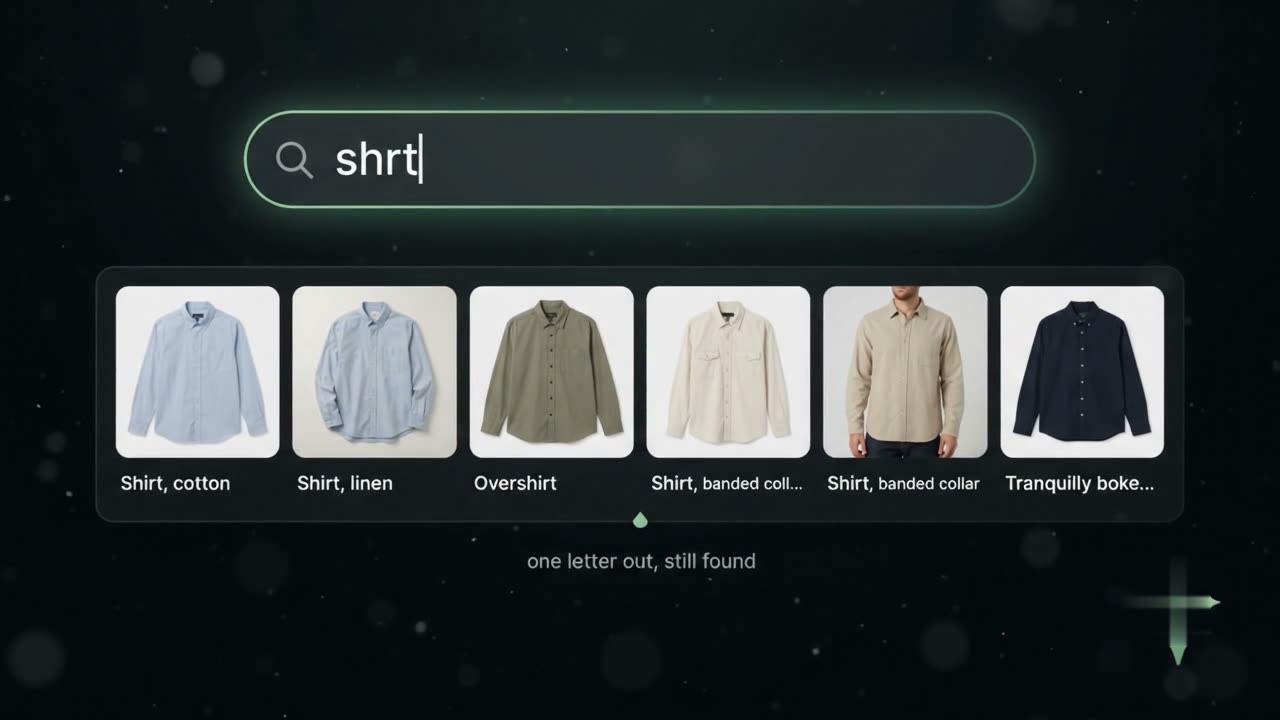
You lose people on the no-results page. It matches meaning to what you sell.
It gives the people on your site four ways to find what you sell. Keyword suggestions drops a list down while they are still typing. Product search answers the results page — they look for "something for rain", and your pram rain covers come up first, then the clip-on ones. Multi-keyword search takes two things asked at once and answers both on one page. And Filtered search covers the visitor who never types at all: a category, sorted, with what you want at the top.
Goes in
Something for rain.
Comes back
Pram rain covers first, then the clip-on ones.
Comes in 4 kinds
Keyword suggestions
The list that drops down while they are still typing.
Product search
The results page for the words they typed.
Multi-keyword search
More than one thing asked for at once, answered on one page.
Filtered search
Browsing with no words at all: pick a category, sort it, and decide what gets pushed up.
How it connects
ReadsWhat you have written about the products you sell
Smart Site SearchWorks inYour site's search box, results page and category pages
ReturnsSuggestions while people type, and results that match what they meant
Limit. It can only find what you have written down. If nobody wrote that a coat is warm, it cannot find it that way.
It breaks a written brief into tasks and puts them in order, ready to edit.
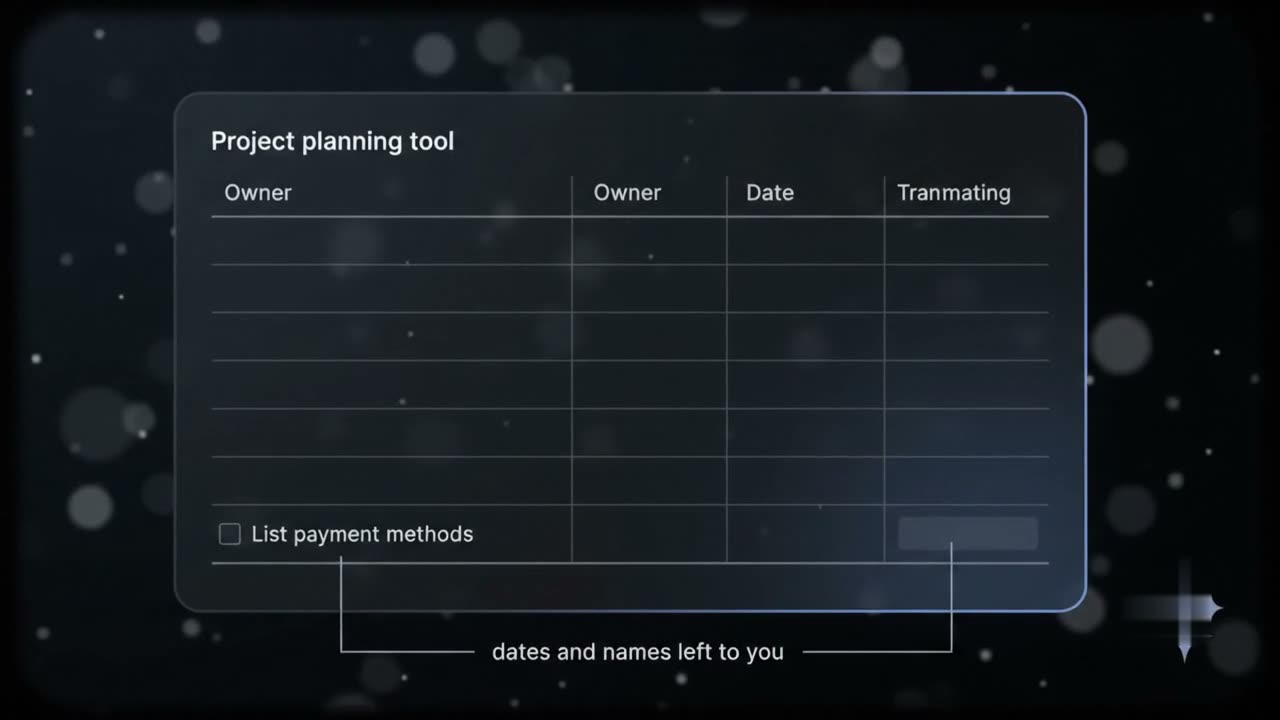
It turns a brief into a working plan. Hand it the brief for a checkout rebuild and it writes the task list in the right order, showing what has to be finished before the next thing can start. It leaves the dates and the names blank, because it does not know who is free — you fill those in. It writes the plan; it does not run the project.
Goes in
Plan the checkout rebuild.
Comes back
Tasks in order, what blocks what. Dates and names left blank.
How it connects
ReadsA written brief
AI Project AutomationWorks inYour project planning
ReturnsTasks in order and what blocks what — dates and names left to you
Limit. It drafts a plan. It does not manage a project.
You write down what should happen. It turns your words into checks, and says what broke.
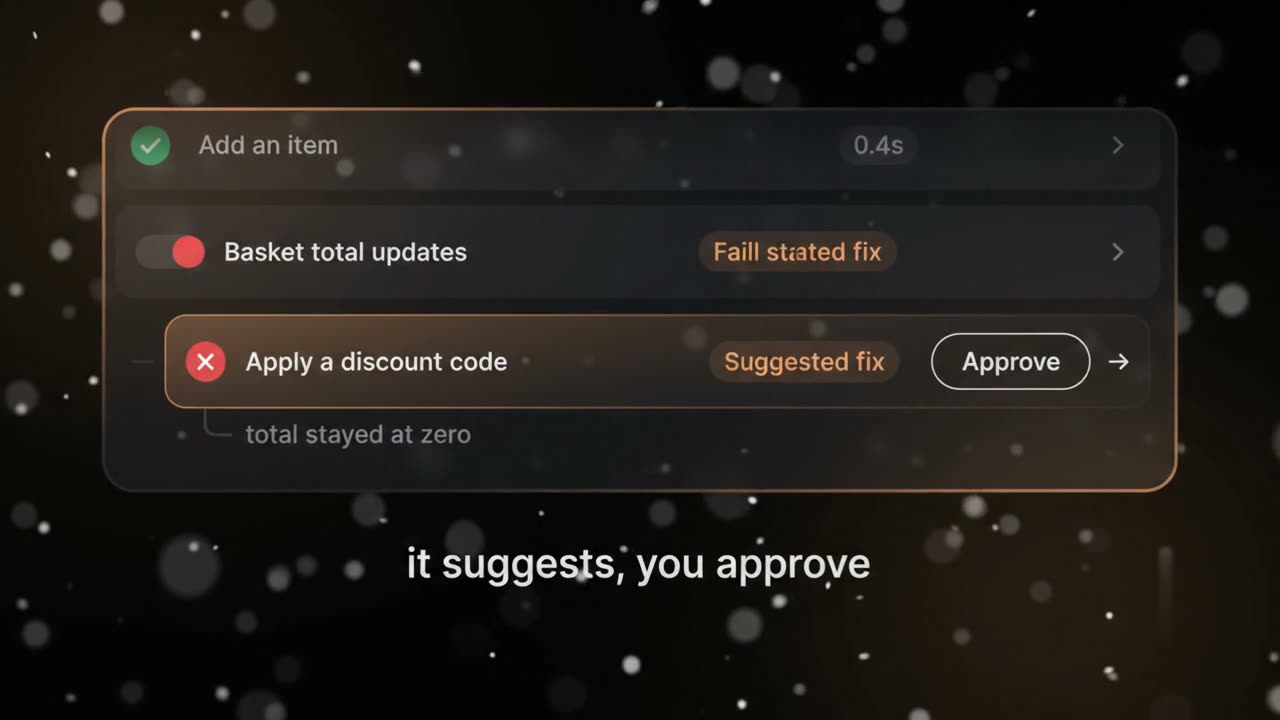
It checks that your site still works after every change. Write down in plain words what should happen — adding an item updates the basket total — and it turns that into a test it runs for you every time. Ask "What broke today?" and it tells you what broke, then offers a fix. You decide whether to use it. It never puts one live itself.
Goes in
What broke today?
Comes back
Today it did not. What broke, and a fix to approve.
How it connects
ReadsWhat should happen, written in plain words
AI Automation TestingWorks inYour site, checked after every change
ReturnsWhat broke, and a fix for you to approve
Limit. It suggests a fix. It never puts one live itself.
Your prices sit still while stock, cost and demand move. It moves them for you, inside limits you set.
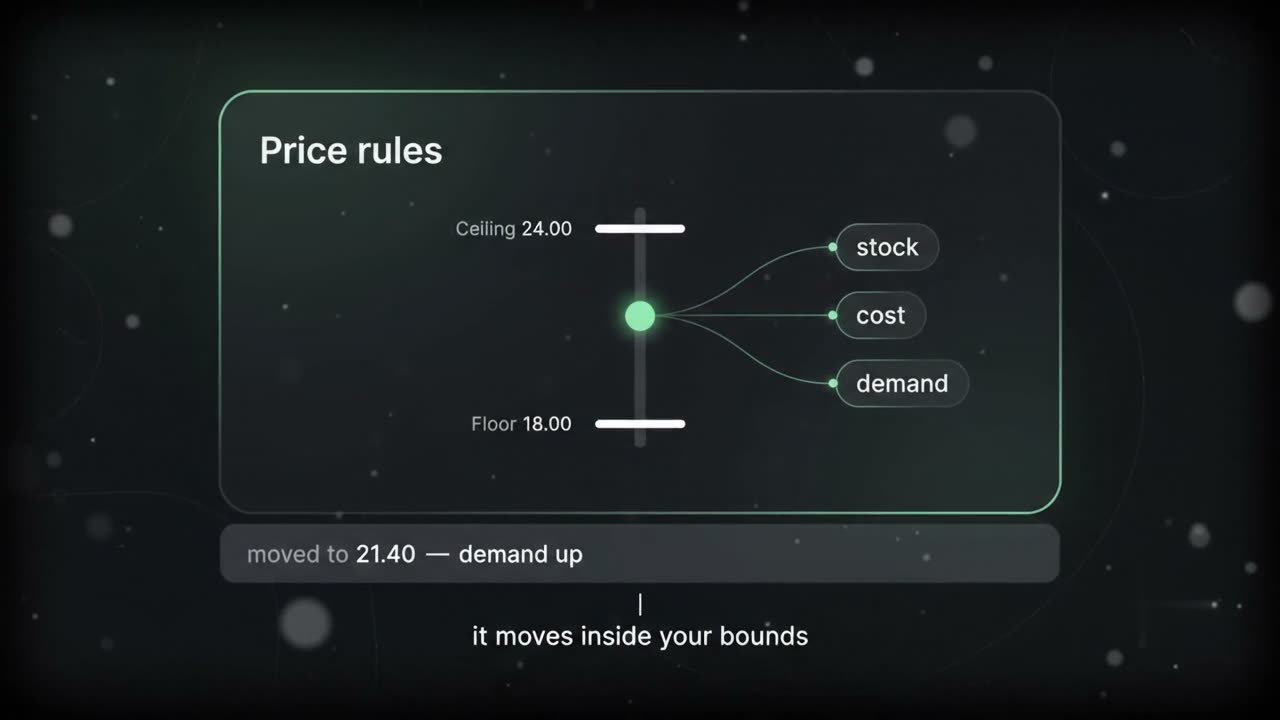
It moves your prices as stock, cost, season and demand change, and it keeps every move inside limits you set. You set the floor, the ceiling and the rules it works within; it moves the price between them and writes down every change and what prompted it. Everyone sees the same price. Nothing about the individual shopper is an input.
Goes in
Price this within my limits.
Comes back
A price moved between your floor and ceiling, and the reason written down.
How it connects
ReadsStock, cost, season and demand — never anything about the individual shopper
Dynamic PricingWorks inYour prices, between the floor and ceiling you set
ReturnsA moved price, and the reason written down
Limit. It moves a price inside bounds. It does not set the bounds.
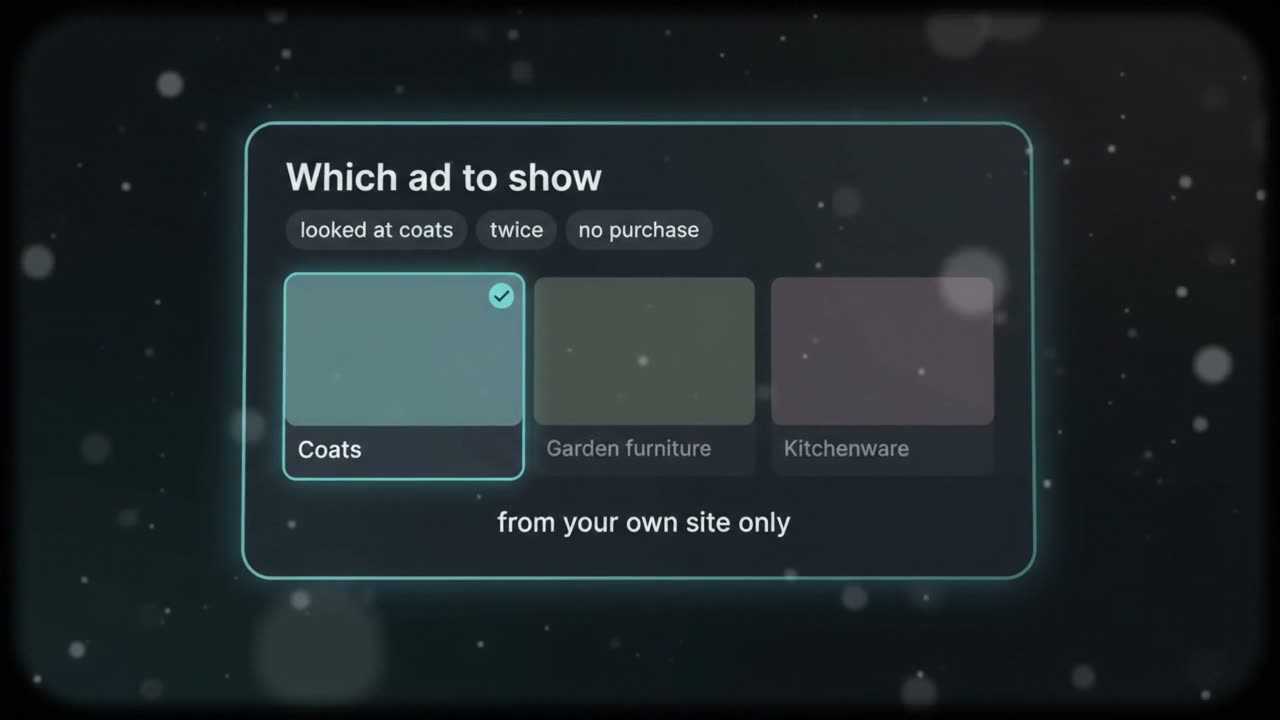
Every visitor sees the same ad. It picks which of your ads each one sees.
It decides which of your ads a visitor sees, out of the ones you have already made. Someone who has spent the visit looking at coats sees the coat ad rather than the one for garden furniture. It uses what people did on your own site — what they looked at, what they bought — and it never buys data about them from anywhere else. You supply the ads and set where each one is allowed to run.
Goes in
Which ad for this visitor?
Comes back
The one closest to what they have been looking at.
How it connects
ReadsWhat visitors did on your own site — never data bought from elsewhere
Personalised AdsWorks inThe places you allow each of your ads to run
ReturnsWhich of your ads each visitor sees
Limit. It can only use what you already hold about them. A first-time visitor sees your default.
Badges get lost and door codes get shared. It opens the stockroom for the people you enrolled.
It lets your own staff into the stockroom or the till area without a badge or a door code. You enrol the people who need access and they agree to it; after that the door opens when they arrive, and it logs who went in and when. Anyone you have not enrolled is simply not recognised. It never looks at customers — only the people you put on the list.
Goes in
Open the stockroom.
Comes back
Open, for someone you enrolled. Logged.
How it connects
ReadsFaces at the door, matched only against staff you enrolled with their consent
Facial RecognitionWorks inThe stockroom or till-area door
ReturnsThe door opens, and a log of who went in and when
Limit. Only people you have enrolled, who agreed to it. It does not recognise customers.
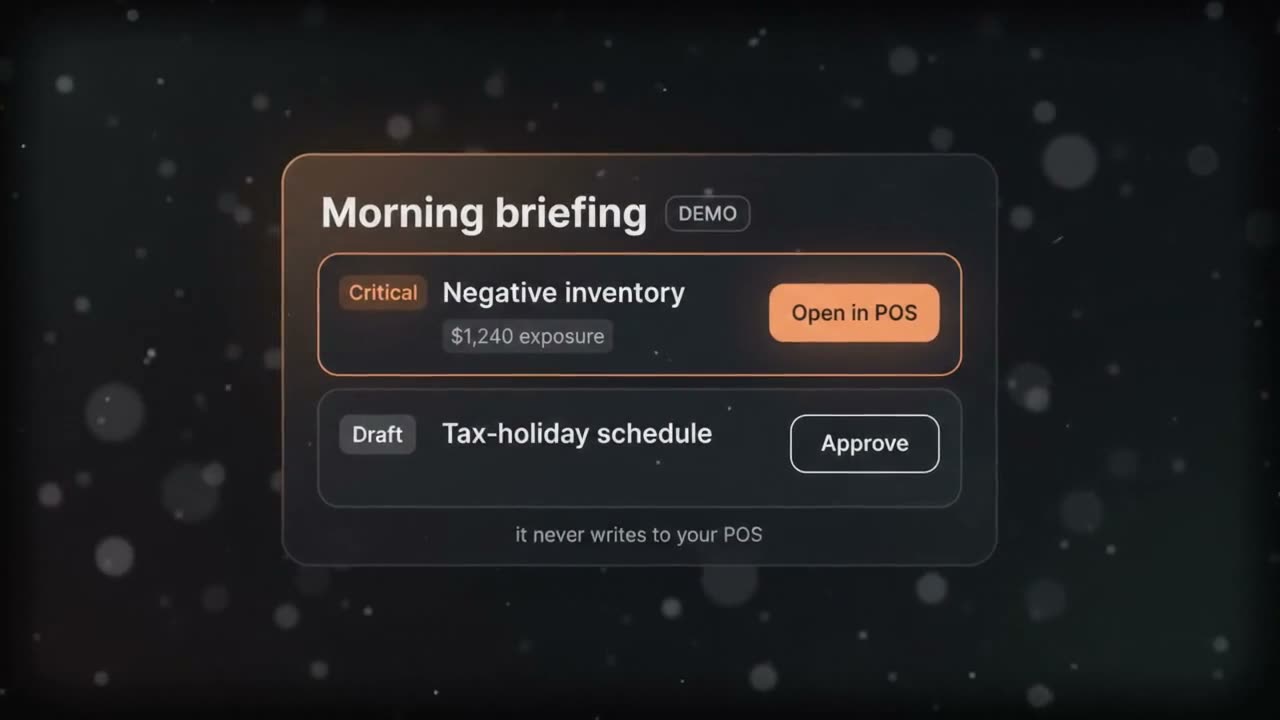
It reviews the business overnight and opens with the items that need a decision — each one with evidence, a dollar impact, and a recommendation.
An agentic operations layer for retail. Every night it reads across a store's inventory, fulfillment, purchasing, workforce, loss-prevention, customer, and point-of-sale activity, and assembles a single ranked briefing — critical items first — ready before the doors open. Each card carries the evidence behind it, a quantified impact, and, where the system has earned the trust, a one-click fix a person still approves. It reads the store's point-of-sale system through one dedicated connection and never writes to it — the correction always happens in the POS itself, or through a drafted, human-approved change.
Goes in
A night of sales, receiving, and inventory activity across every store.
Comes back
The count of products showing negative on-hand inventory and their cost exposure, ranked Critical, with the exact records behind the number and a link into the POS screen where it's fixed.
Goes in
A purchase order received against the vendor invoice.
Comes back
The count of PO lines received more than ordered and the value of the unordered merchandise, flagged for review before it posts as shrink.
Goes in
The store calendar and the POS tax configuration.
Comes back
A drafted tax-holiday schedule, days ahead of the date it takes effect, queued for a person to approve — never applied on its own.
Operations AIWorks inBeside your point-of-sale system, through one read-only connection
ReturnsA ranked briefing before the doors open, with evidence and drafted fixes
Limit. It never writes to the point-of-sale system — only one dedicated, read-only connection touches live store data. A finding is labeled LIVE only when it comes from a real query against that data; anything else is labeled DEMO and never presented as real. If the data behind a number is stale, the briefing says so on the card, not in fine print.
Drawer and no-sale activity flagged for human review.
Workforce
Shift punches, scheduling gaps, and time-clock exceptions.
Performance & Financial
Sales pace and traffic measured against store history.
How a fix earns automation
Nothing runs on its own by default. Every action starts as a draft a person approves, and only moves up with evidence:
Level 1 — Draft only
Everything starts here. The system prepares the fix; a person reviews and approves it.
Level 2 — One-click, human-triggered
Unlocked per action once enough approvals and verified outcomes support it — never by default.
Level 3 — Runs on its own, logged
Reserved for the narrowest, best-evidenced actions; still fully reversible and fully audited.
Beyond commerce
Commerce is the centre, not the boundary. Our practices stand around it.
Commerce Intelligence
Site Search
Search Intelligence
Personalization
Merchandising
Recommendations
Build
Position
Grow
Scale
Development & AI
Build
Software has to work the day real people start using it. We build web apps, mobile apps and front ends — defining the goals, researching the market and choosing the features first — and test web apps for performance, security, usability and accessibility, with project managers, designers, market specialists and developers on one team. Technical support keeps it productive after launch.
When a product is hard to use, people quietly stop using it, and the reason is rarely obvious from the inside. We research and observe your users, audit what is getting in their way, and design the wireframes, prototypes and visual design that fix it, testing with users as we go. The result is a product whose path makes sense to the people using it.
Your brand is everything that sets you apart — your messaging, your visual identity and the experience customers have of you. We start with a brand strategy grounded in your business goals, then create what carries it: logo, tagline, design system, websites, pitch decks and videos. Whether it is a new brand or a revamp, the aim is one identity wherever customers meet you.
Before you build or sell, you need to know who it is for and why they would choose you over a competitor. We run discovery and design-thinking work on scope, budget, timeline and users’ needs, define your positioning, and write the content strategy, sales playbook and go-to-market plan that follow from it. The aim is a sales process your team can repeat and scale.
A good product still has to be found by the right people. We run social media, SEO — technical, on-page, keyword research and off-page — pay-per-click campaigns and email marketing, each built on research into your audience, your keywords and your competitors. The aim is relevant traffic and trust that move people towards buying.
A sales team is only as busy as its pipeline, and a lead that is not ready to buy today still needs keeping warm. We profile the accounts worth pursuing, generate leads through search, social, referrals, display ads, LinkedIn, events and webinars, and nurture them with lead scoring until they are ready. The aim is a fuller pipeline of better-qualified leads for your sales team.
As a business grows, its information spreads across systems that do not talk to each other. We integrate them into one platform, so data is tracked, easy to reach for the people who need it, and workflows improve. The work fits your stage: MVPs, launches and investor pitches for startups; scaling and website optimisation for SMEs and fast movers; design production, communication and account-based marketing for enterprises.